

















































































Sold out
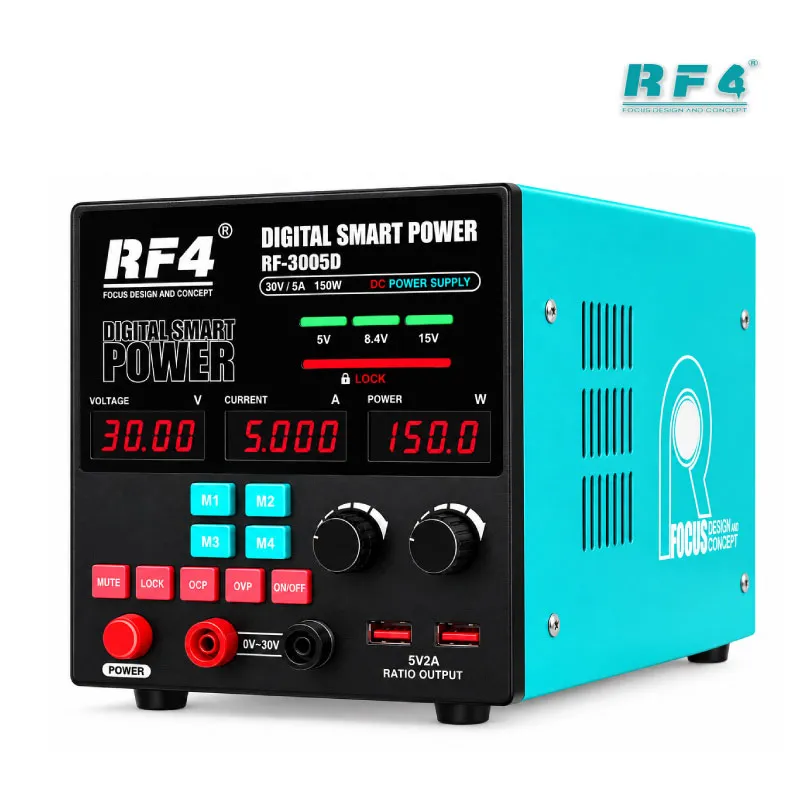
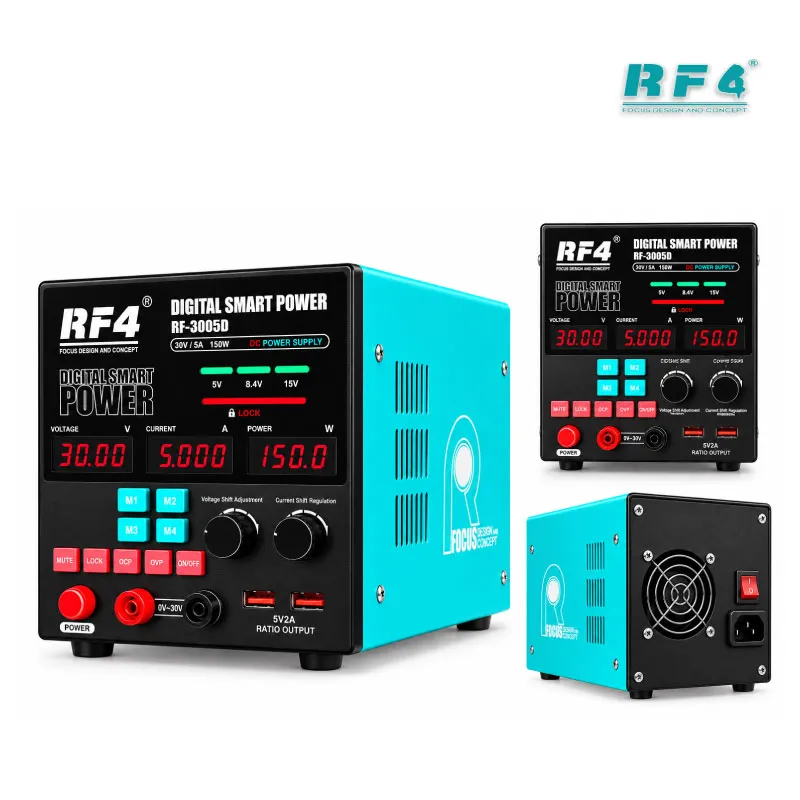



RF4 RF-3005D Professional DC Power Supply 30V 5A
₨1
Professional 30V 5A Bench Power Supply
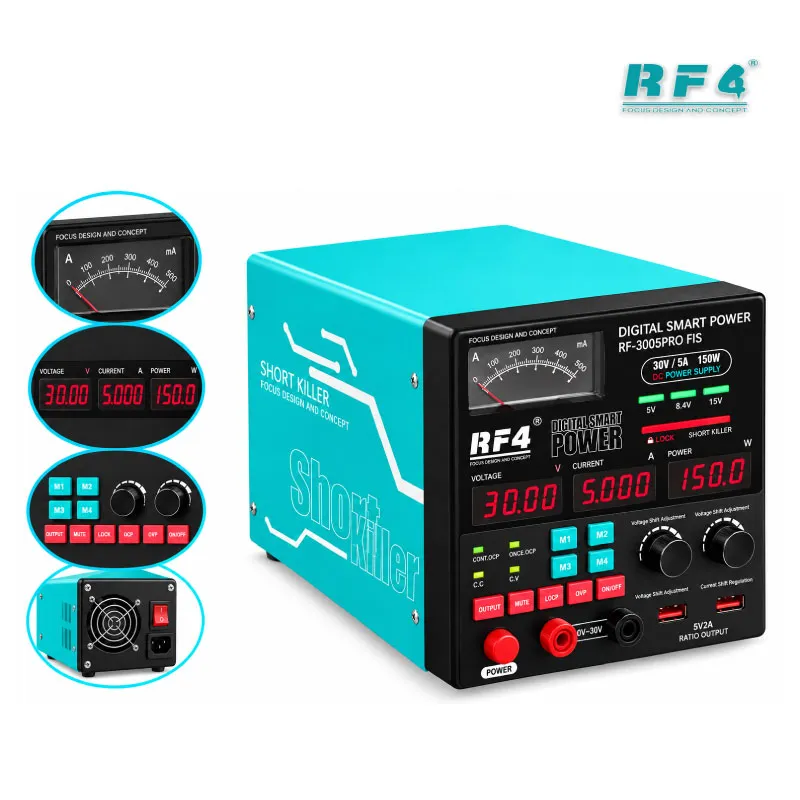
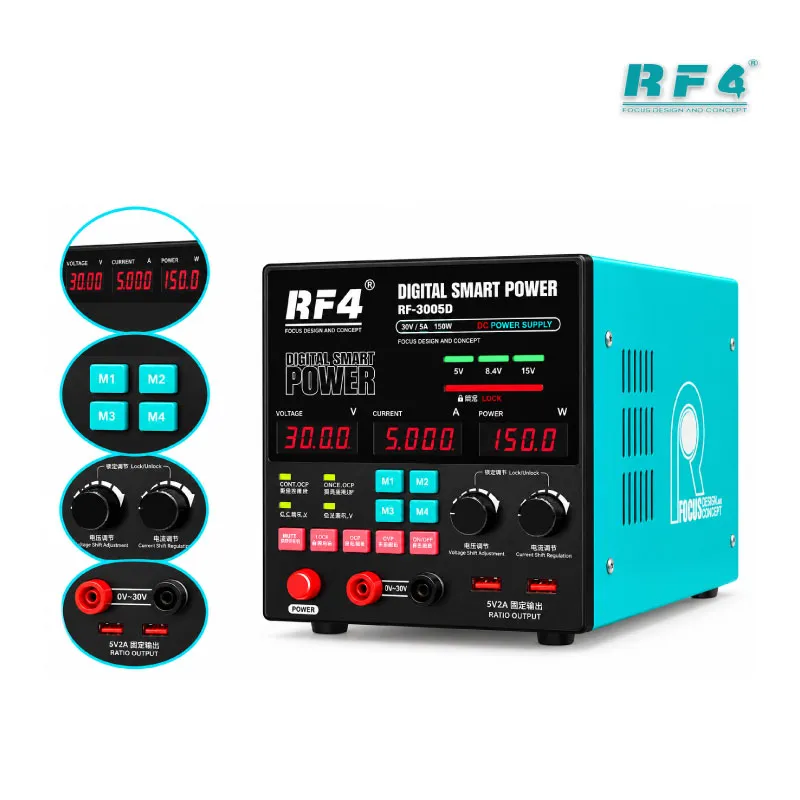
The RF4 RF-3005D gives your repair bench a professional DC power supply 30V 5A with 150W output. You set the voltage and current limit, then power a dead phone board without a battery. The digital display shows voltage and current while you work, and the knob lock keeps your settings fixed when your hand bumps the bench. Overcurrent protection cuts the supply when a short appears. Use it for charging issue tracing, hang on logo checks, and hardware fault diagnosis on phone motherboards and laptop boards in your Pakistani repair shop.
| Weight | 5.0 kg |
|---|
Out of stock
Size and packaging guidelines


Fermentum scelerisque hendrerit parturient nullam enim lobortis litora parturient dictumst.

Potenti a quisque tincidunt venenatis adipiscing parturient fermentum nisl tincidunt amentu.

Scelerisque conubia lobortis a condimentum ad eleifend dui integer maecenas habitant nostra.
| Specification | Chair | Armchair | Sofas |
| Height | 37" | 42" | 42" |
| Width | 26.5" | 32.5" | 142" |
| Depth | 19.5" | 22.5" | 24.5" |
| Assembly Required | No | No | Yes |
| Packaging Type | Box | Box | Box |
| Package Weight | 55 lbs. | 64 lbs. | 180 lbs. |
| Packaging Dimensions | 27" x 26" x 39" | 45" x 35" x 24" | 46" x 142" x 25" |
Description
Professional DC Power Supply 30V 5A for Phone Board Repair
A professional DC power supply 30V 5A sits at the center of every serious board-level repair. The RF4 RF-3005D gives you adjustable voltage up to 30V, current up to 5A, and 150W of switching regulated output. You power the board directly, watch the current draw, and know within seconds whether you face a short, a dead rail, or a software fault. RF4 Tools Pakistan supplies it for technicians who want a real bench source instead of a charger and a guess.
How the RF-3005D Reads a Dead Phone
Connect the output leads to the battery terminals or board test points, set your voltage, and press the output key. The display shows voltage and current together, so you read the board’s behavior live. A dead phone that draws zero current points you toward the battery connector or the power path. A board that jumps to high current at low voltage points toward a shorted capacitor or IC. A board that draws steady current but hangs on logo tells you the hardware wakes up and the fault likely sits in software or storage. Pair these readings with a multimeter and a microscope, and you find the shorted component before you ever reach for the hot air station.
Protection and Control Features That Save Boards
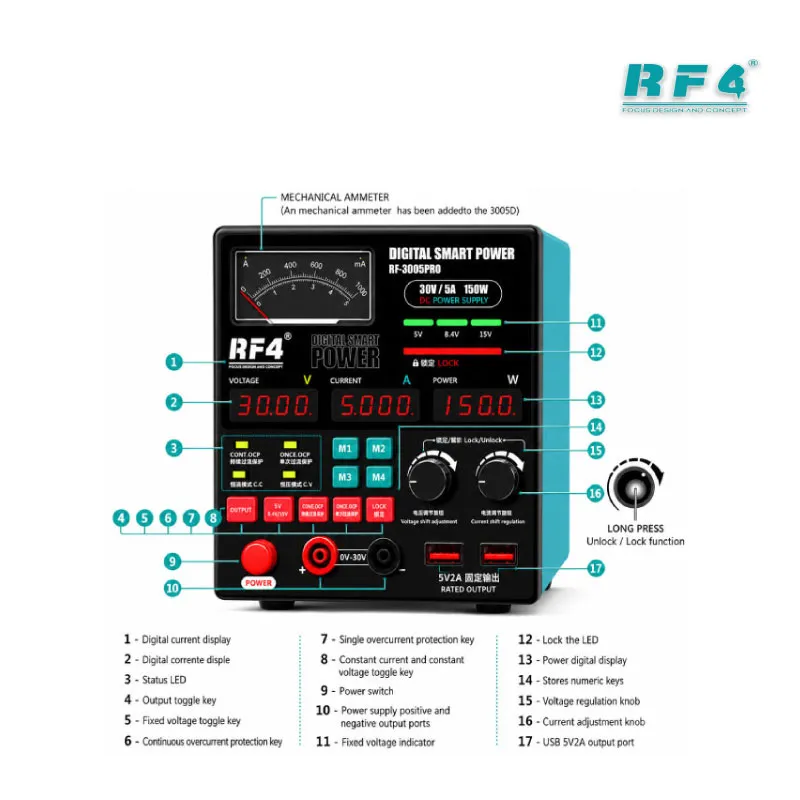
The RF-3005D carries a full overload protection circuit built for repair work, and it gives you two overcurrent behaviors. In the automatic mode, the supply returns to normal output on its own after protection trips. In the single-trip mode, the indicator flashes, the display shows the overcurrent value, and output stays off until you press the protection button again. Choose the single-trip mode when you hunt a suspected short, because the supply cuts power the moment the board draws too much.
The lock function protects your setup. Long-press the V knob until the lock indicator lights, and every button and knob except the power switch goes inactive. Long-press again to unlock. You set 4V or 5V for a test, lock it, and work with tweezers and probes without nudging the setting. The output key switches power to the board with one press, so you connect the leads first and energize the board second.
Where It Fits in Your Repair Workflow
Start every hardware fault job here, whether the complaint is a charging issue, display problem, network issue, or boot loop issue. Power the board before you touch the soldering station, and write down the baseline current. After an IC change karna job, power the board again and compare. A normal reading confirms the rework held, and an abnormal reading sends you back to the board before you reassemble the phone.
When a phone dies after flash, check the current draw first. A board that draws normal current moves on to your box, ISP pinout tools, or eMMC programmers for the software side. A board that draws nothing goes back to the power path. UFS adapters and eMMC programmers take over where the power supply stops, so keep all three in one workflow.
The unit accepts 110V and 220V mains input, so it runs on the standard supply in Pakistani workshops. It also powers mobile phones and other 5V devices for a quick power-on test.
Setup Tips for Faster Fault Finding
Set the current limit before you connect the board. A low limit protects a shorted board while you read the draw, and you raise it only when the board needs more. Keep the leads short and clean so the display reads true. Mount the board in a PCB holder, and keep reballing kits and your hot air station within reach so the diagnose-and-fix loop stays tight. When the fuse blows, unplug the power cord first, then replace it with the correct rating: 5A for 220V mains or 10A for 110V mains.
Your bench handles laptop motherboard maintenance and electronic production line work as well as phone boards, and the 150W rating gives you room for both. If your shop still tests with a battery and charger, the current reading alone shortens every job.
Reviews (0)
Q & A
Please login to post questions
Key Features
- Adjustable output up to 30V
- Current output up to 5A
- 150W switching regulated output
- LCD digital display for voltage and current
- Knob lock and unlock function
- Automatic-recovery overcurrent protection mode
- Single-trip overcurrent protection mode
- 110V / 220V mains input with output on/off key
Specifications
| Brand | RF4 |
|---|---|
| Model | RF-3005D |
| Category | DC Power Supply |
| Compatibility | Universal bench power source, not device-specific |
| Technology | Switching regulated DC power supply with LCD digital display |
| Input Voltage | 110V / 220V |
| Output Voltage | Adjustable, up to 30V (current up to 5A) |
| Power Rating | 150W |
Common Repair Uses
- Dead phone current diagnosis
- Short circuit detection on power rails
- Charging issue tracing
- Hang on logo current check
- Boot loop issue board testing
- Power-on test after IC change karna
- Battery-less board testing
- Laptop motherboard fault tracing
Compatible Devices
- Mobile phone motherboards (all brands)
- Mobile phones and other 5V devices
- Laptop motherboards
- Electronic production line assemblies
- Factory test benches
- Laboratory test circuits
- University electronics lab setups
- General electronic repair boards
FAQ
What is the product name?
The product name is RF4 RF-3005D DC Power Supply 30V / 5A.
What is the brand of this product?
The brand of this product is RF4.
What is the model of this product?
The model of this product is RF-3005D.
What is this product used for?
This product is used for powering and diagnosing phone motherboards, laptop boards, and other electronic boards on the repair bench.
Which devices are compatible with this product?
This product works as a universal bench power source for phone boards, laptop boards, and 5V devices within its 30V and 5A range.
Who should use this product?
This product is suitable for mobile repair technicians, repair shops, service centers, and professional users.
Does the RF-3005D work on 220V mains in Pakistan?
Yes. The unit accepts both 110V and 220V mains input. Use a 5A fuse on 220V and a 10A fuse on 110V.
How do I lock the voltage setting on the RF-3005D?
Long-press the V knob until the lock indicator lights. Every button and knob except the power switch goes inactive. Long-press the V knob again to unlock.









Reviews
There are no reviews yet.